A guide to using Citymapper
Citymapper and Harvard University just teamed up 🤝
Our goal: make it as easy as possible to get where you need to go. We have loads of feautures to help with that goal, so here's a quick summary of our most useful features!
There's a lot to unpack here... let's get into it.
Navigation in a Tap
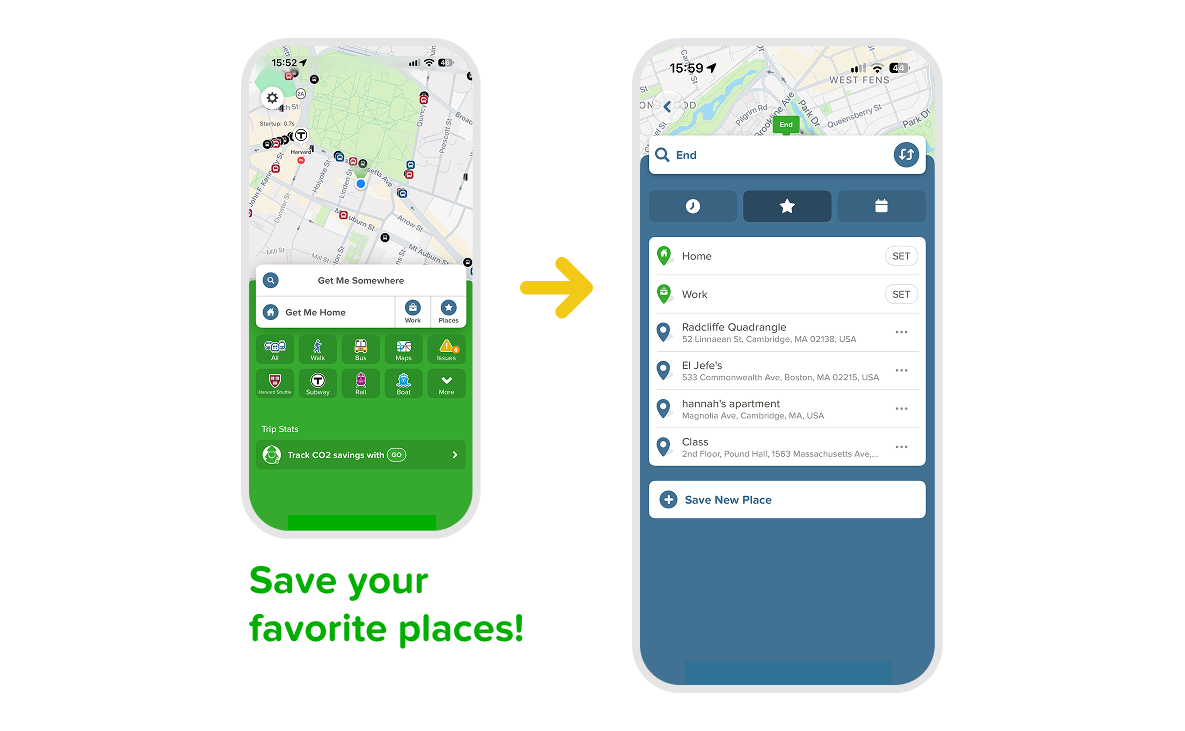
Need to get somewhere? Start by tapping on "Get me Somewhere" and see your journey options appear.
Use the "places" star on the home screen, to save your most frequent locations, like your best friend's apartment, Lamont Library, or even El Jefe's. Make it even easier to navigate to your most visited spots!
Getting around the campus
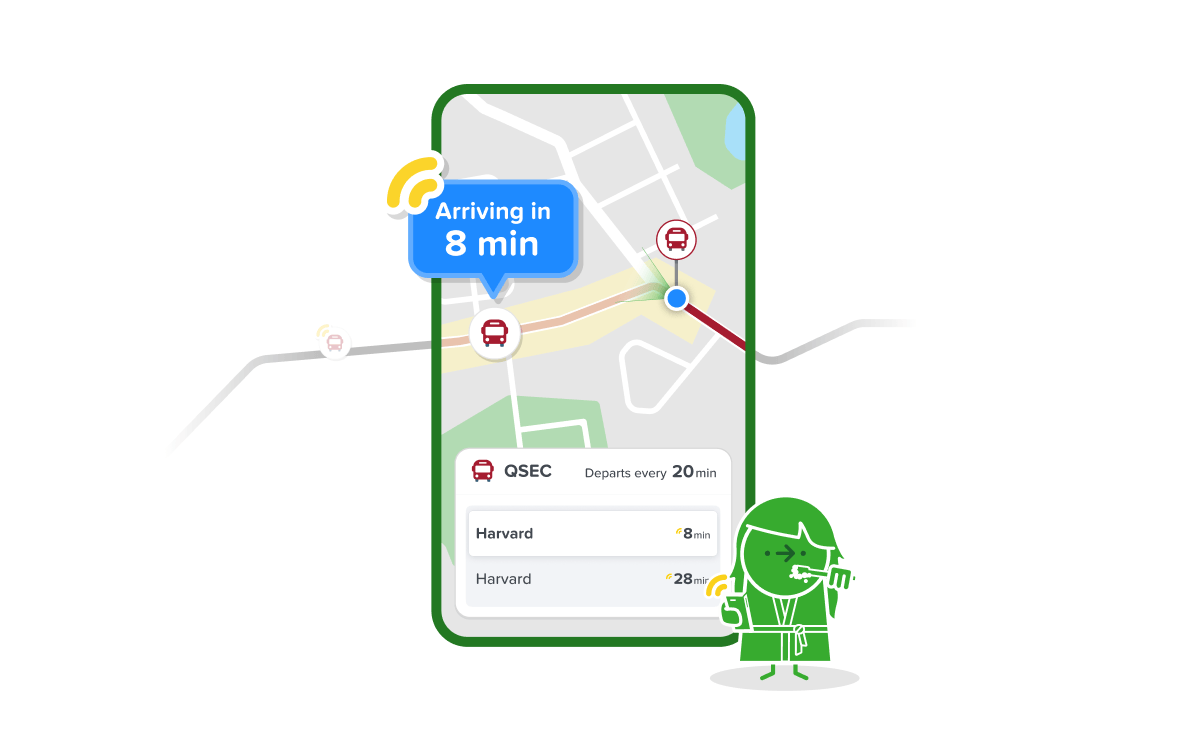
Trust issues with your bus being on time? Citymapper's got your back, with constant live updates 🚌 Wherever you plan a trip, you can see where your bus is on the map and your time of arrival at your destination. If your regular route is disrupted, Citymapper show you alternative journey options too.
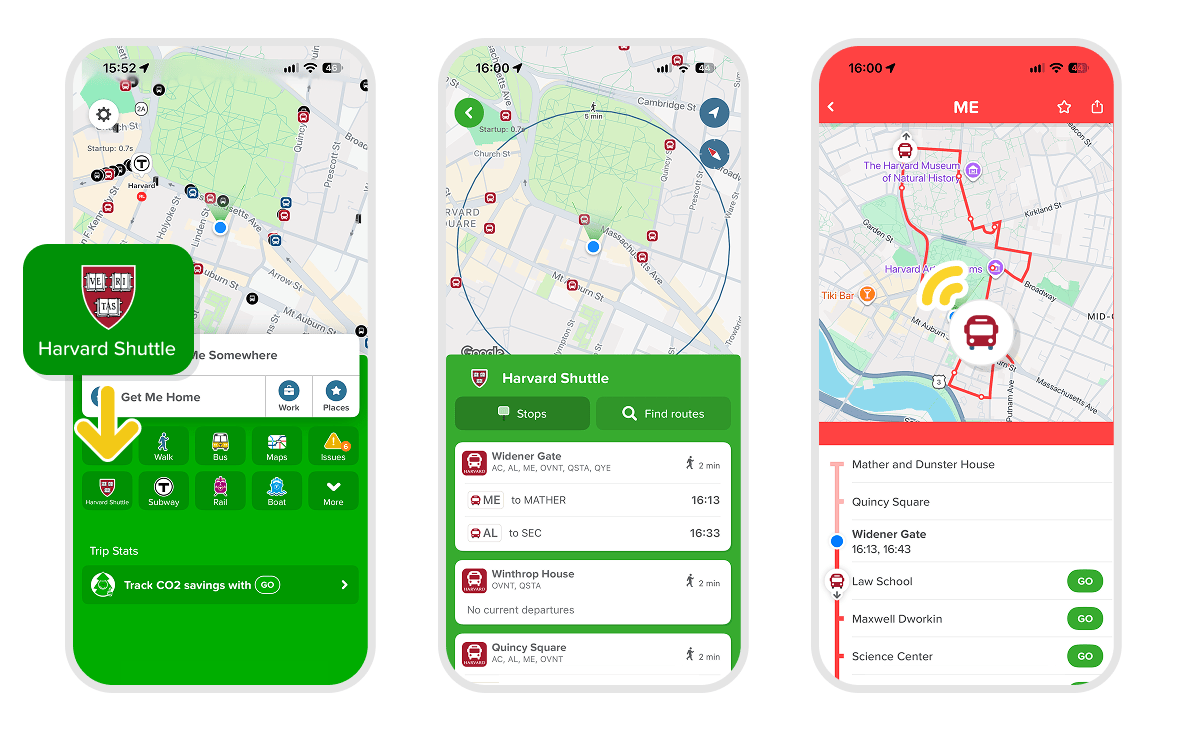
To see the location of your bus without planning a trip, tap on "Harvard Shuttle" on the home screen, select a stop followed by the bus route you want to track.
Live timings for MBTA buses, LMA buses, the T, Amtrak, and more are also available in Citymapper!
Harvard Shuttle or Harvard Evening Van?
Great question! Citymapper can show you both options side by side so you can compare ETA, price, and walking distances side by side.
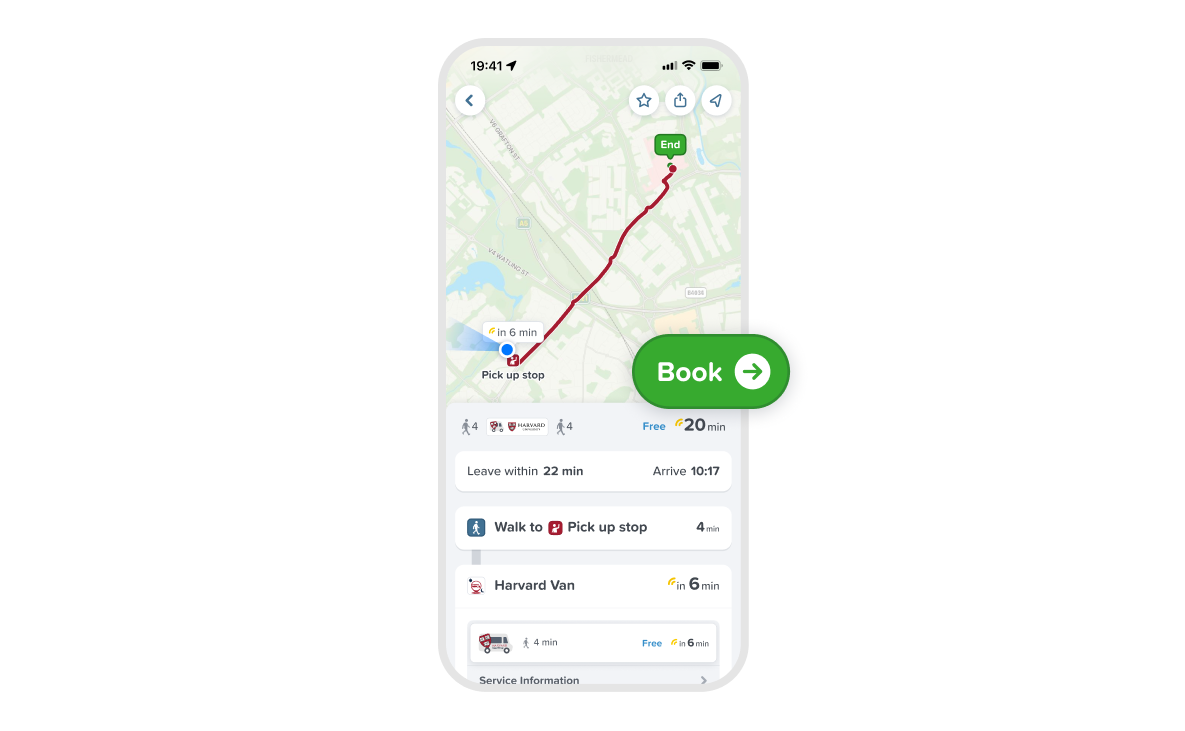
Plan your journey, and if an on-demand ride is an available option, it will appear under "Harvard Evening Van" below the Suggested section.
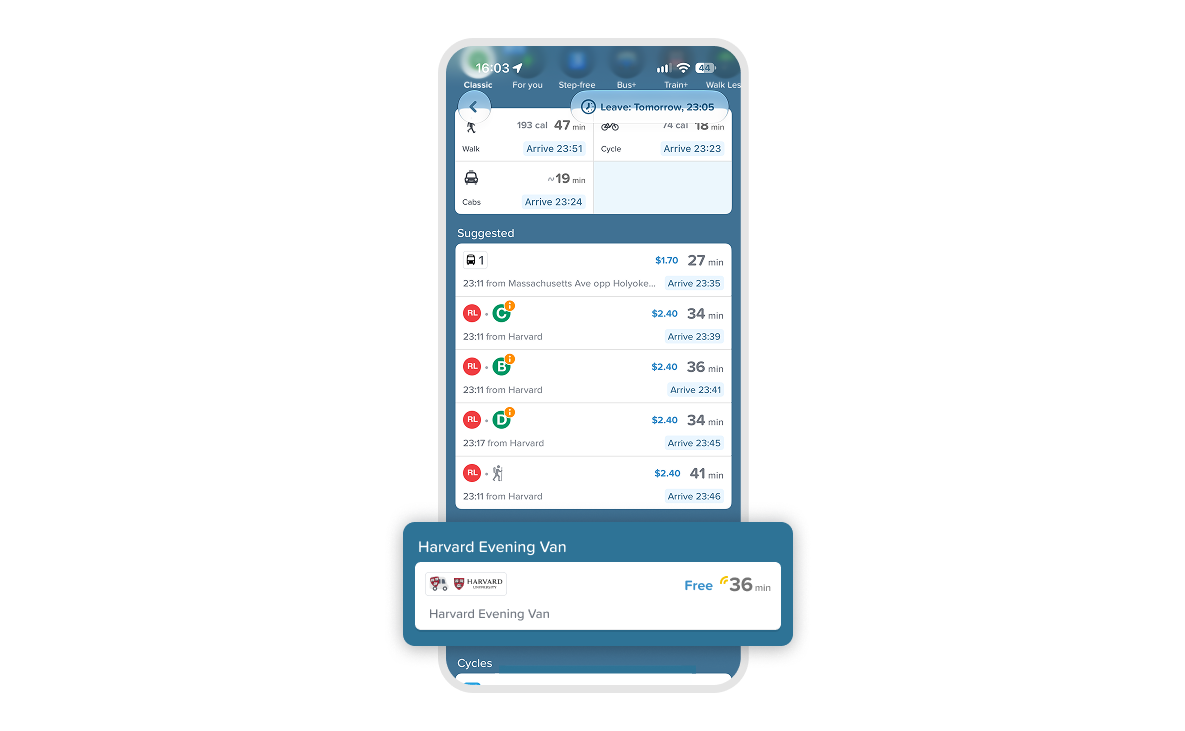
Tap on the journey to view details like wait time, time onboard, and walking directions to your pickup. With Citymapper, you can book your trip and track your driver as they approach you.
SSO Login
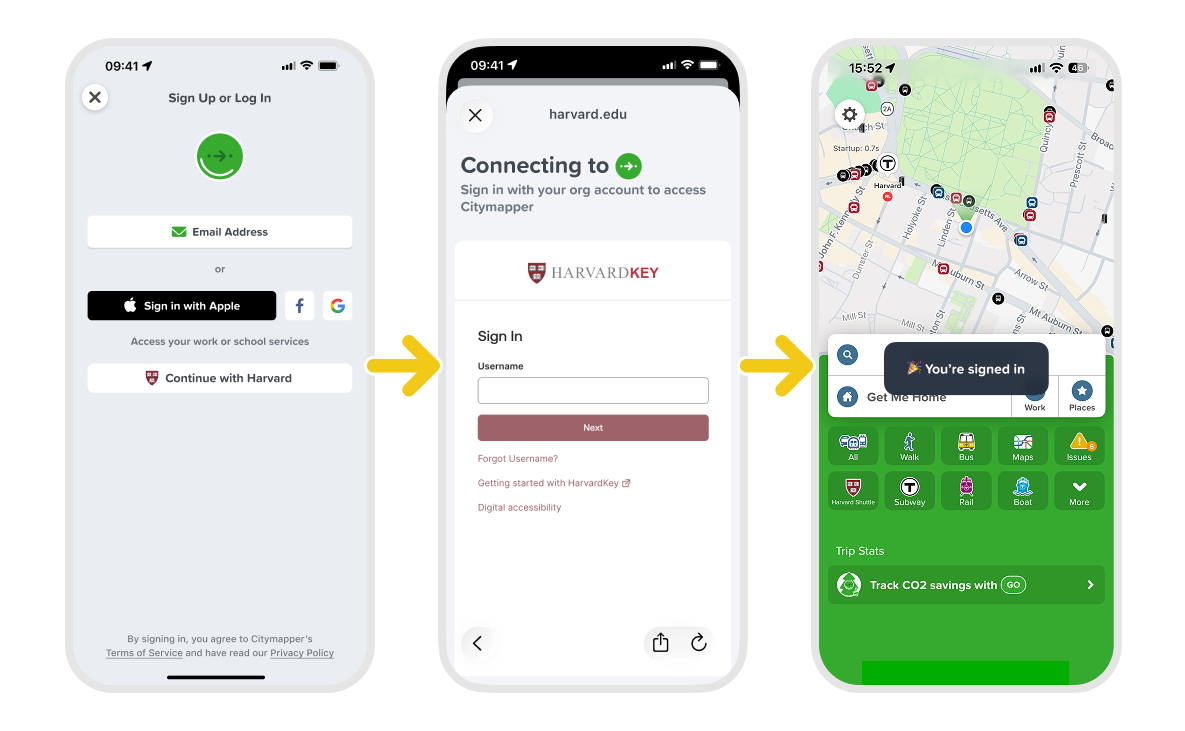
In order to see Harvard Evening Van in the app, you will have to login with a verified Harvard account.
First, make sure you have your Harvard Key with SSO verification set up on your phone. Open up Citymapper and navigate to Settings in the top left, and tap on "Account". If you are in the Harvard area, you will see an option to continue with a HarvardKey, which you can use to sign in. Otherwise, choose "Email Address" to sign in with, and enter your Harvard email.
Bikes, Etc
Normal bikes. Electric bikes. Cabs. Rideshare. Hovercrafts. We have it all.
Pick a mode and get turn-by-turn instructions, which you can even play on your headphones to keep your eyes on the road (or sidewalk).
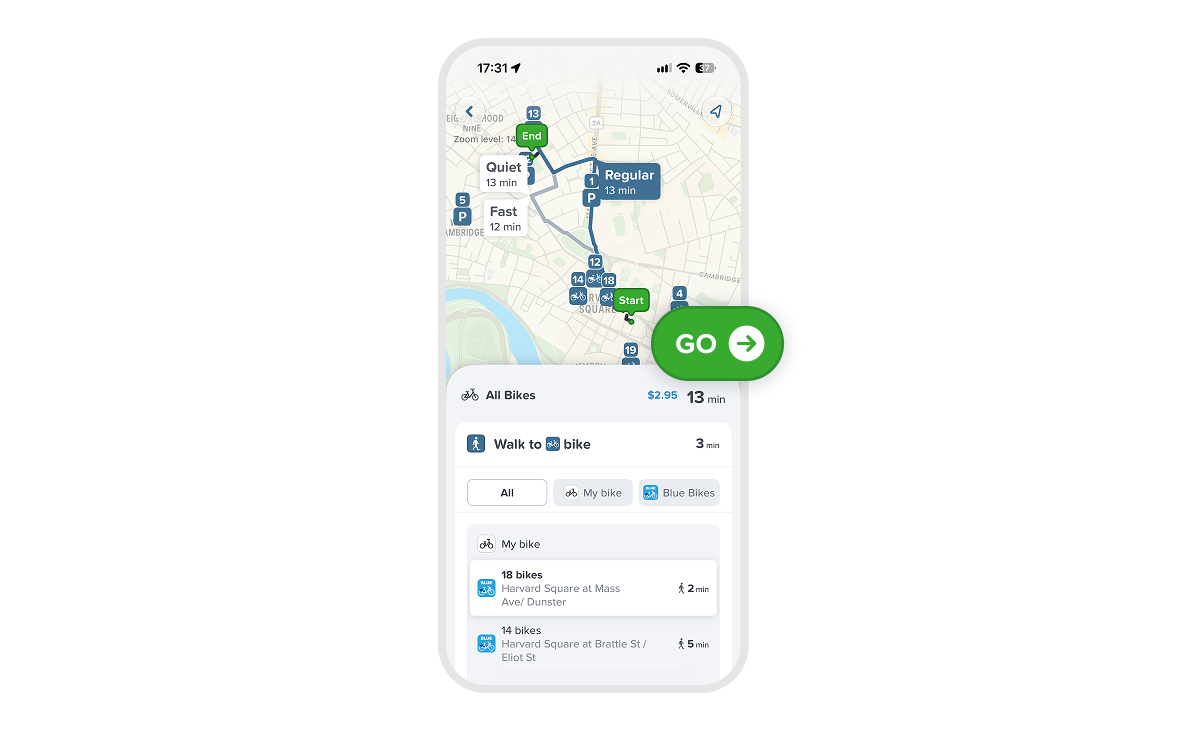
If you are using bikeshare, Citymapper will direct you to your nearest dock and show you how many bikes are left there.
For a bike trip, you can choose your own adventure and select between quiet, regular, and fast routes.
And remember, you can use our mixed routing power to suggest public transportation in combination with other modes, which could be just what you need to get you where you are going in time.
We hope you enjoy using Citymapper. If you want to keep us busy, feel free to submit feedback and requests in the app, so we can make the best Citymapper for you!
xoxo,
Citymapper Team